Marketing agencies managing multiple client accounts across different platforms
Marketing reporting platform
Agency Reporting Made Simple.
The platform lets you connect all of your clients' marketing accounts into one place, including Google Analytics, Google Ads, Meta Ads, Instagram, LinkedIn, TikTok, and more. Sync performance data on demand and build clean, client-ready reports without manually logging into each platform.
Instead of exporting spreadsheets from six different ad platforms and stitching them together by hand, you connect each platform once, then sync data when you need it.
Open the Reporting PlatformBusiness email required for signup
Who It's For
The platform is designed for businesses only.
Independent consultants who need to produce regular performance reports for their clients
In-house marketing teams who want a unified view of performance across channels
Signup requires a business email address that matches your company website domain. Personal email addresses (Gmail, Yahoo, etc.) are redirected to an access request form where you can describe your business and request manual approval.
Core Capabilities
Connect client accounts, sync data on demand, and turn performance metrics into reports your clients can use.
Client Management
- Create and organize unlimited client profiles under your workspace
- Each client has its own name, website, timezone, and currency
- Search, filter, and sort clients to find what you need quickly
- A health indicator on each client card shows connection status at a glance
Platform Connections
12 available platforms per client
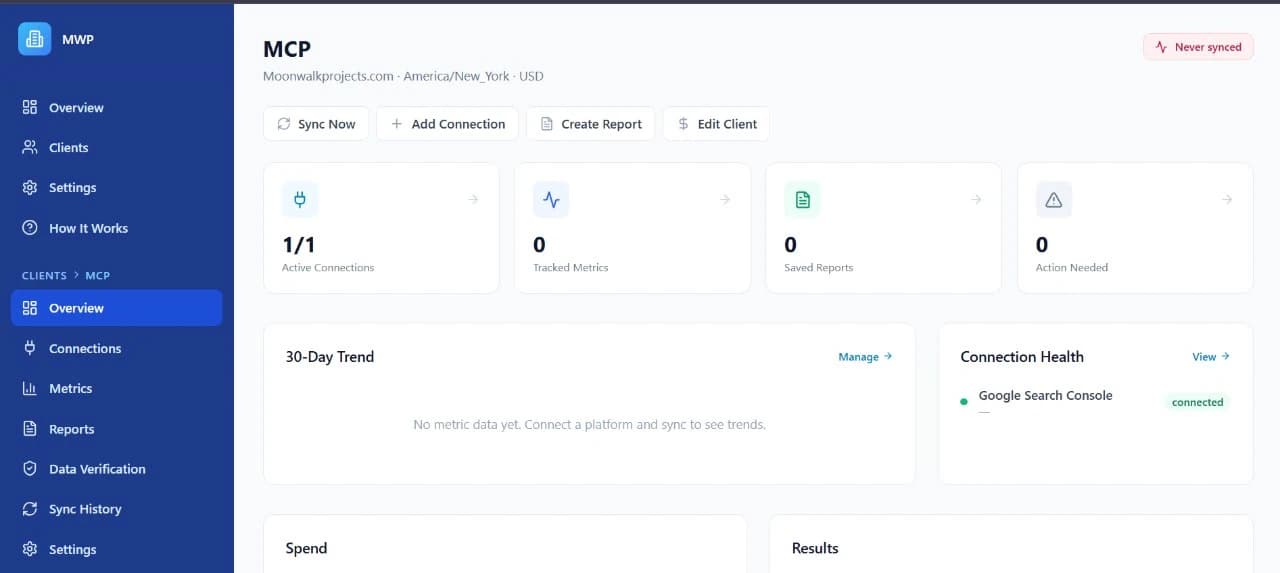
- Connect all 12 marketing platforms per client using secure OAuth authorization
- The platform only requests read-only access, so it can never post, edit, or change anything in your connected accounts
- Switch between different accounts or properties under the same platform without reconnecting
- Reconnect expired connections with one click
- Disconnect any platform at any time
Data Syncing
Sync performance data when you choose.
- Pull performance data on demand
- Choose your sync range: last 7 days, 30 days, 90 days, or 12 months
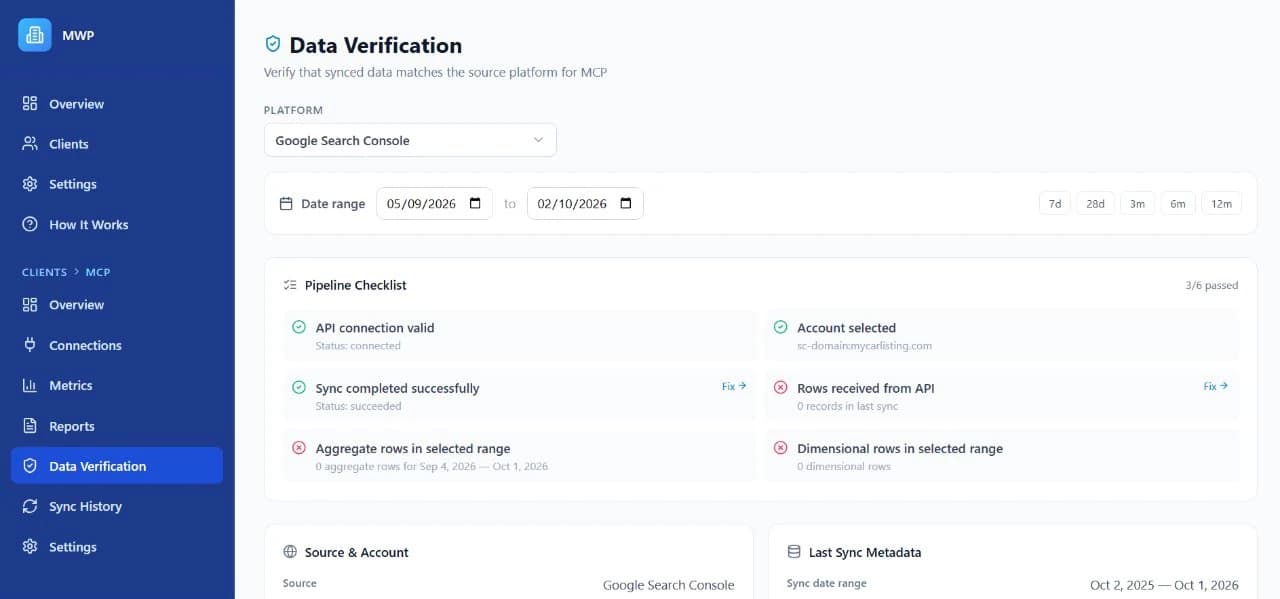
- View sync history and status for every connection
- Retry failed syncs with a single click
- The system tracks what synced successfully and flags anything that failed
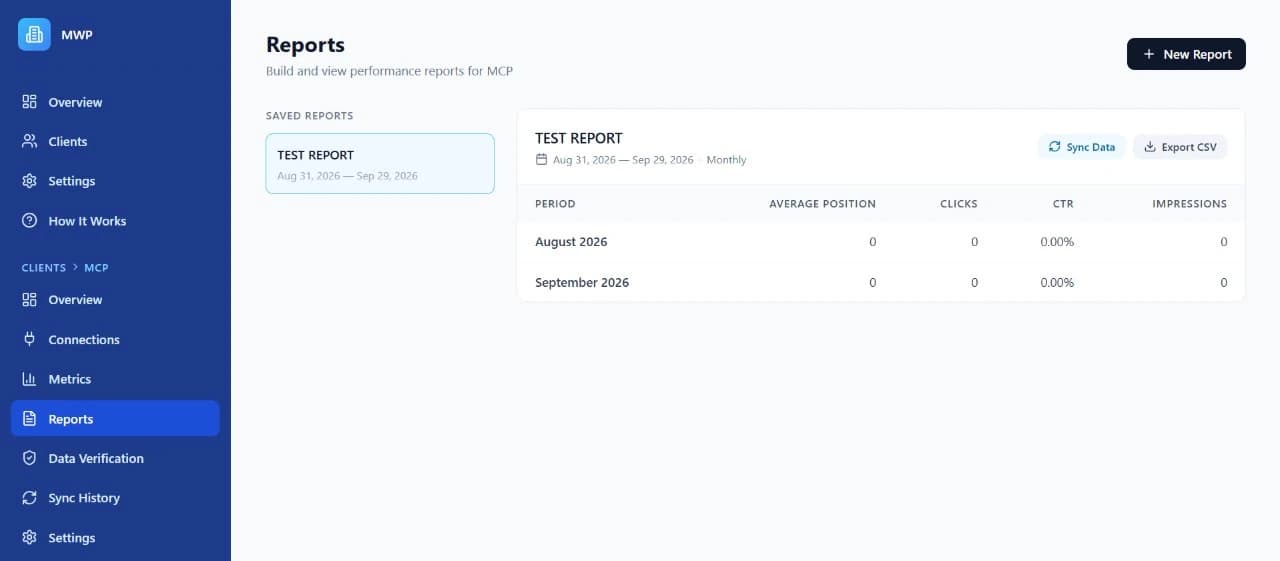
Reporting
- Build custom reports by selecting which metrics to include
- Group data by day, week, or month
- Choose any date range for your report
- Reports use the relevant data you synced when you create them
- Export any report as a CSV file for sharing with clients
- View dimensional breakdowns (top pages, top queries, top countries, top devices, top sources, top campaigns) alongside your main metrics
Dashboard
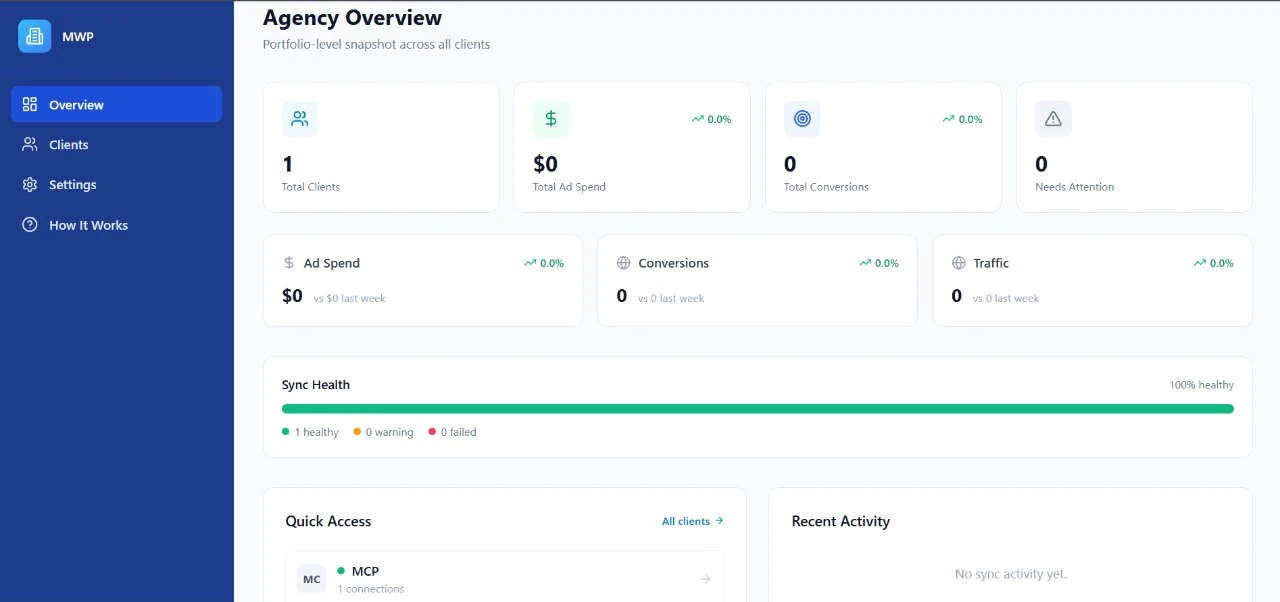
- Each client has a dashboard showing an overview of all connections and recent metrics
- Health indicators show which connections are working and which need attention
- See total ad spend, impressions, clicks, and other key metrics in one view
Supported Platforms
Connect 12 marketing platforms per client using secure OAuth authorization.
| Platform | What It Tracks |
|---|---|
| Google Analytics 4 | Website traffic, sessions, conversions, page views, user counts |
| Google Ads | Ad spend, clicks, impressions, conversions from search and display campaigns |
| Google Search Console | Organic search clicks, impressions, click-through rate, top queries, top pages |
| Google Tag Manager | Container and tag configuration data |
| Meta Ads (Facebook) | Ad spend, reach, impressions from Facebook ad campaigns |
| Organic reach, impressions, engagement, follower count | |
| LinkedIn Ads | Impressions, clicks, spend from LinkedIn ad campaigns |
| TikTok Ads | Impressions, clicks, spend from TikTok ad campaigns |
| Microsoft Ads (Bing) | Ad spend, clicks, impressions from Microsoft Advertising |
| Pinterest Ads | Impressions, clicks, spend from Pinterest ad campaigns |
| HubSpot | Marketing email sends and opens |
| Calendly | Scheduled bookings and appointments |
How Data Flows
Connect accounts, choose what to track, sync when needed, and build reports from the results.
01 Connect
You link a marketing platform to a client by signing in through that platform’s secure login. The platform asks for read-only permission only.
02 Select Account
After connecting, you choose which specific account, property, or campaign you want to track (for example, a specific Google Analytics property or a specific Google Ads account).
03 Sync
The platform pulls performance metrics from the connected account on demand. Choose a date range (7 days to 12 months).
04 Report
Once data is synced, you build reports by choosing which metrics to include, selecting a date range, and picking how to group the data (daily, weekly, or monthly). Export as CSV to share with clients.
Security
The platform never asks for write permissions on your connected accounts.
- Business-only signup with email domain verification, so your email must match your company website
- Two-factor authentication (2FA) adds an extra layer of security using Google Authenticator, Authy, or any TOTP app
- Read-only access means the platform never asks for write permissions on your connected accounts
Reporting Platform Questions
Who can sign up for the Reporting Platform?
The platform is designed for businesses only. Signup requires a business email address that matches your company website domain. Personal email addresses (Gmail, Yahoo, etc.) are redirected to an access request form where you can describe your business and request manual approval.
Can the platform change anything in my connected accounts?
No. The platform only requests read-only access, so it can never post, edit, or change anything in your connected accounts.
Which marketing platforms can I connect?
You can connect 12 platforms per client: Google Analytics 4, Google Ads, Google Search Console, Google Tag Manager, Meta Ads (Facebook), Instagram, LinkedIn Ads, TikTok Ads, Microsoft Ads (Bing), Pinterest Ads, HubSpot, and Calendly.
How does data syncing work?
You sync data on demand for any connected platform and choose a range of the last 7 days, 30 days, 90 days, or 12 months. You can view sync history and status for every connection, and retry failed syncs with a single click.
Can I export reports for my clients?
Yes. Export any report as a CSV file for sharing with clients.
Does the platform support two-factor authentication?
Yes. Add an extra layer of security using Google Authenticator, Authy, or any TOTP app.
Connect your reporting workflow
Open the Reporting PlatformSignup requires a business email address that matches your company website domain.